Explainer (as of October 2026)
Skitch stops working in macOS 28
Opened Skitch lately and seen a notice that support for Intel-based apps is ending? That's macOS telling you to line up a replacement while there's still time.
This page covers when and why it stops working, how to check your copy, and how to pick what's next. It's written by the maker of FletchShot, but the other options are laid out honestly too.
When, and why
On Apple silicon Macs (M1 and later), apps built for Intel run through a translation layer called Rosetta. Apple has announced that Rosetta is being wound down:
- Through macOS 27: Rosetta is available, so Intel-only apps keep working as they do today.
- From macOS 28 (the next major release — fall 2027 if Apple keeps its usual schedule): Rosetta remains only for certain older, unmaintained games that rely on Intel-based frameworks. Ordinary apps won't launch.
The last Mac App Store version of Skitch is 2.9, updated in July 2020. It's an Intel-only build, and no Apple silicon version has been released — so as things stand, it won't run on macOS 28.
Sources: Apple Support, “Using Intel-based apps on a Mac with Apple silicon”; Apple Developer News, “Upcoming changes to Rosetta support for Intel-based macOS apps”.
Check your copy of Skitch
Option 1: Get Info
Select Skitch in your Applications folder and press ⌘I (File › Get Info). If Kind says Application (Intel), it won't run on macOS 28. “Universal” or “Apple silicon” means you're unaffected.
Option 2: the Intel-based apps list (macOS 27 and later)
Go to System Settings › General › About and click Details next to Intel-based Apps. You'll see the Intel apps you've used recently — a good moment to check whether anything besides Skitch will break.
Picking a replacement
What made Skitch good came down to four things: annotate the instant you capture, the tapered arrow, drag-and-drop to hand off, and very few features. Which of those matters most to you decides where you'll be happiest.
Built into macOS (free)
Press ⇧⌘4, click the thumbnail that appears in the corner, and use Markup to add arrows and text. Nothing to install. The arrow and the capture-then-annotate flow feel quite different from Skitch, but for occasional use it's enough.
Shottr (free, pay what you want)
A fast, lightweight screenshot app built for Apple silicon. You can keep using it for free. Strong on measuring and inspecting — magnifier, rulers, OCR. Its interface follows a different idea from Skitch's.
CleanShot X ($35 one-time + $19/year for updates, or a subscription)
The most complete option: recording, cloud sharing, team features. The one-time plan includes one year of updates. There's a lot of it, features and settings alike, which may be more than you want if Skitch's lightness is the point.
FletchShot (free for 14 days, then $9.99 once)
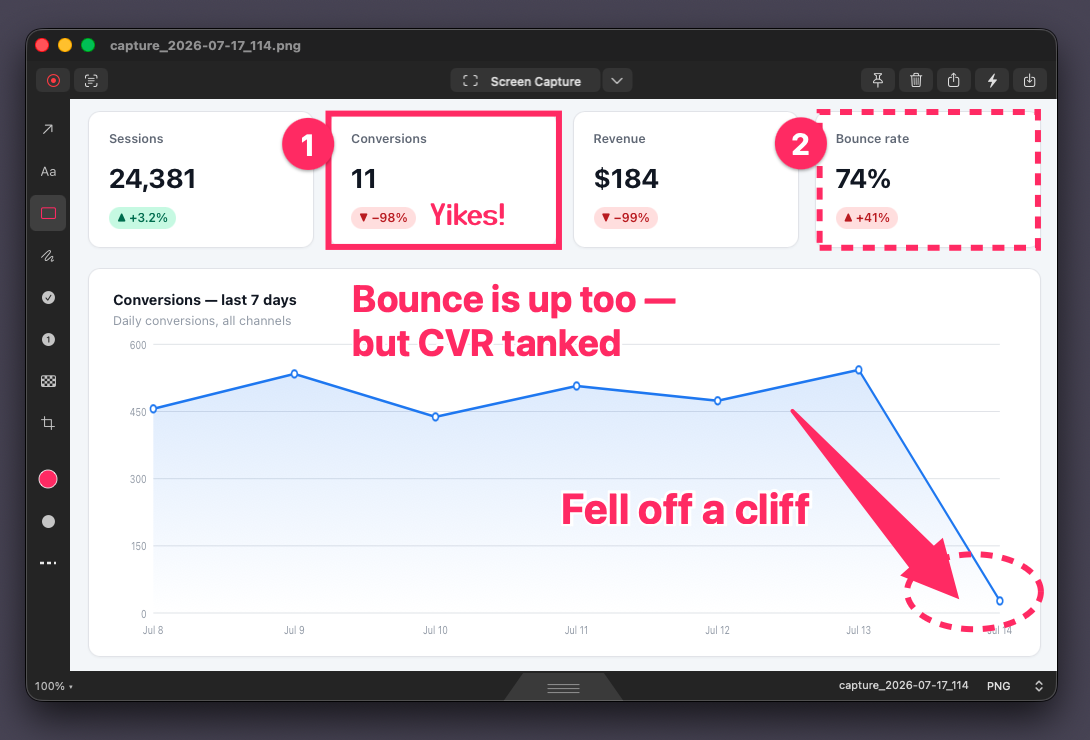
The app made by the author of this page. Skitch 2.9's arrow shape, its capture-to-annotate speed and the drag tab along the bottom edge were measured on the real thing and rebuilt. Recording, GIFs, OCR and scrolling capture are on board, with minimal settings. Native on Apple silicon, no subscription.
From the Mac App Store. No sign-up, no subscription. $9.99 once if you keep it.
Prices as shown on each official site and the App Store in October 2026.
When to switch
As long as you're on macOS 27, Skitch keeps working — there's no rush. But so you're not scrambling the day you update to macOS 28, it's worth trying a replacement now. If you try one and still prefer Skitch, staying on macOS 27 is a valid choice too.
From the Mac App Store. No sign-up, no subscription. $9.99 once if you keep it.